
One clear chart
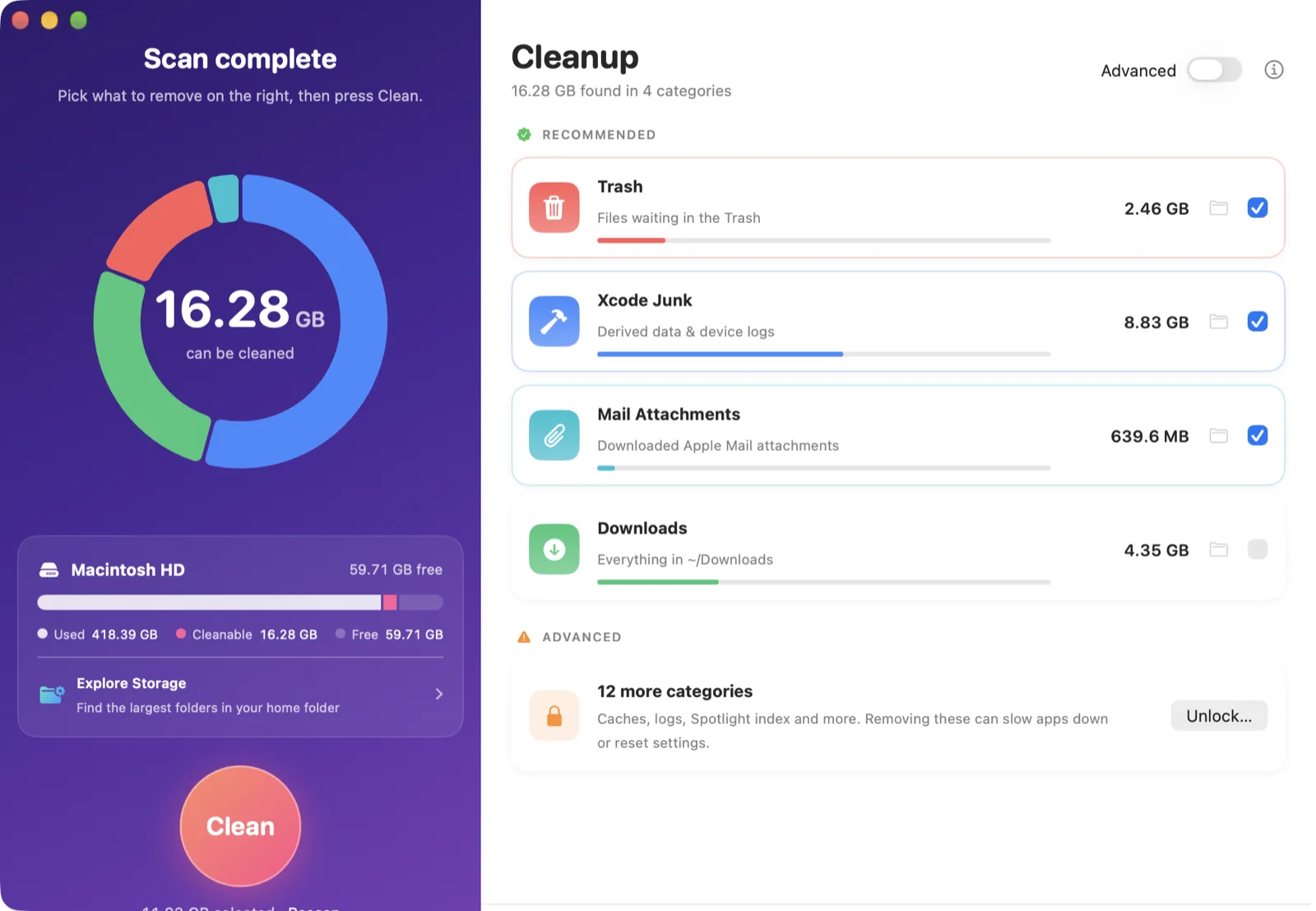
A storage donut shows how much each category takes, so you know where the space went before you delete anything.
SpaceSweep finds the gigabytes hiding in Trash, Xcode junk, Mail downloads, caches and logs, shows them on one clear chart, and clears them in a click.
Why SpaceSweep
No mystery "System Data". SpaceSweep tells you exactly what's using your disk and what's safe to remove.
A storage donut shows how much each category takes, so you know where the space went before you delete anything.
Recommended categories — Trash, Xcode derived data, Mail downloads, Downloads — are picked for you. Riskier ones stay locked until you opt in.
Browse your home folder sorted by size — including hidden folders like .npm and .gradle that macOS lumps into "System Data".
Scanning happens on your Mac. Nothing about your files ever leaves it — the only network calls are license checks and update checks.
System folders need admin rights. SpaceSweep asks once per session — not on every scan.
Signed updates install with one click. Install once, stay current forever.
Pricing
Every plan unlocks cleaning on up to 3 Macs, with all updates included.
Secure checkout by Stripe. Already bought? Find your license key.
Guides
Where your disk space goes and what's safe to delete — with or without SpaceSweep.
Ten safe ways to get gigabytes back, starting with the ones that take a minute.
What's inside the grey bar in Storage settings, and which parts you can shrink.
DerivedData, simulators and device support files — what's safe to delete and how.
FAQ
Downloading, scanning and Storage Explorer are free. Cleaning — emptying the categories you select — needs SpaceSweep Pro, monthly, yearly or lifetime.
The recommended categories are the classic safe wins: the Trash, old Xcode build data, Mail attachment downloads and your Downloads folder. Caches, logs and system indexes sit in an Advanced section that stays locked until you confirm you understand the trade-offs. SpaceSweep always asks before deleting anything.
macOS hides the Trash, Mail and Messages from every app unless you grant Full Disk Access. SpaceSweep needs it only to measure and clean those folders; everything else works without it.
Up to 3 Macs per license. You can deactivate a Mac from SpaceSweep's About screen to move your license to another one.
Open SpaceSweep › About › Manage, or use the link in your receipt email. Cancelling keeps Pro until the end of the period you've paid for.
Enter your purchase email on the recovery page and we'll email your keys to you.
Any Mac running macOS 14 Sonoma or later, Apple silicon or Intel.